Family Chalk Planner
A chalkboard-style family wall calendar for a wall-mounted screen, edited from a tablet. It runs on your own network, with no account and no cloud service.
- Version
- 1.0.0
- Runs on
- Home Assistant, Docker, Debian or Ubuntu
- Calendars
- Google, iCloud and CalDAV, Outlook links, Home Assistant's calendars
- Written in
- TypeScript (Node.js 22)
- License
- AGPL-3.0
What it does
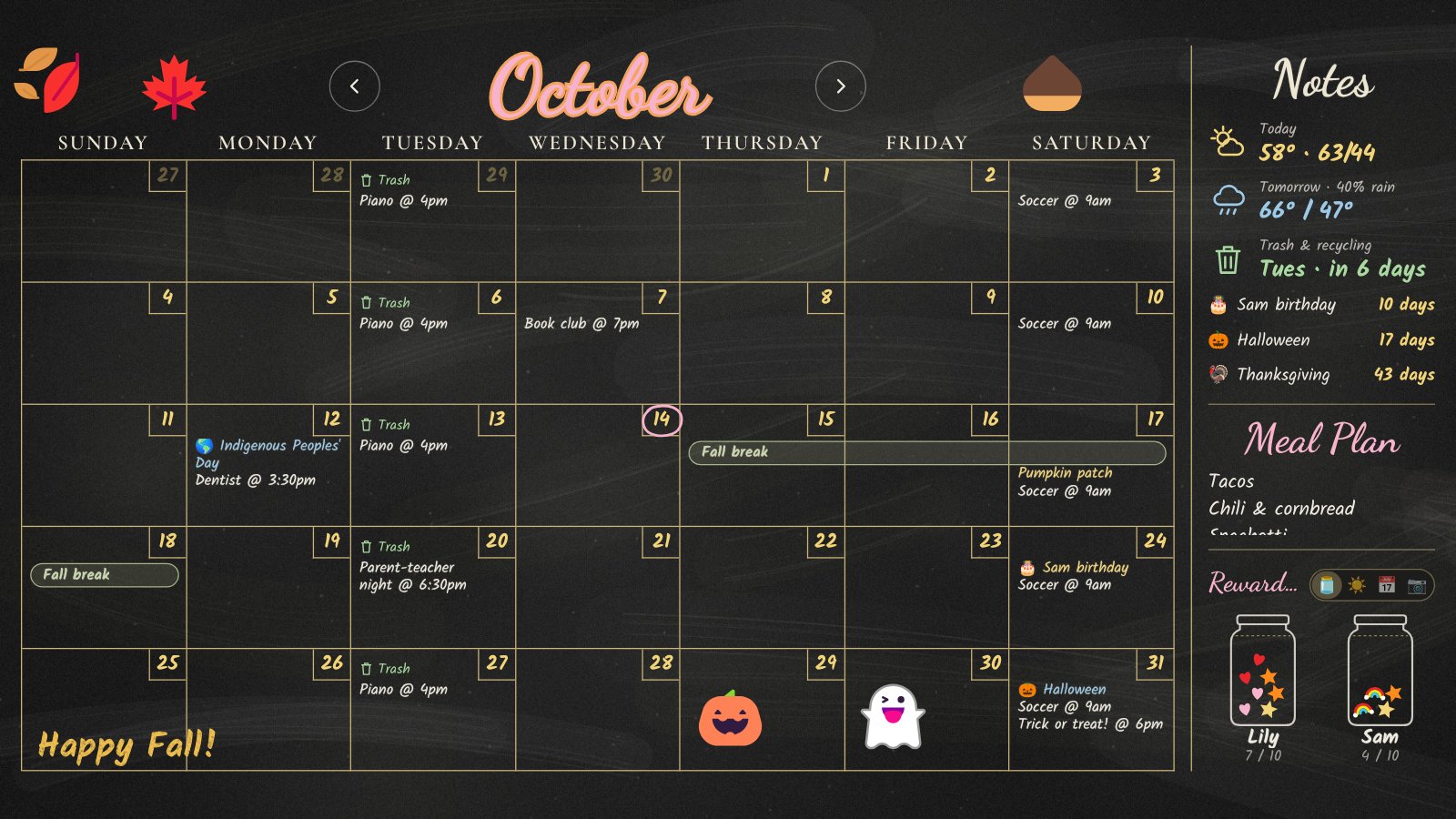
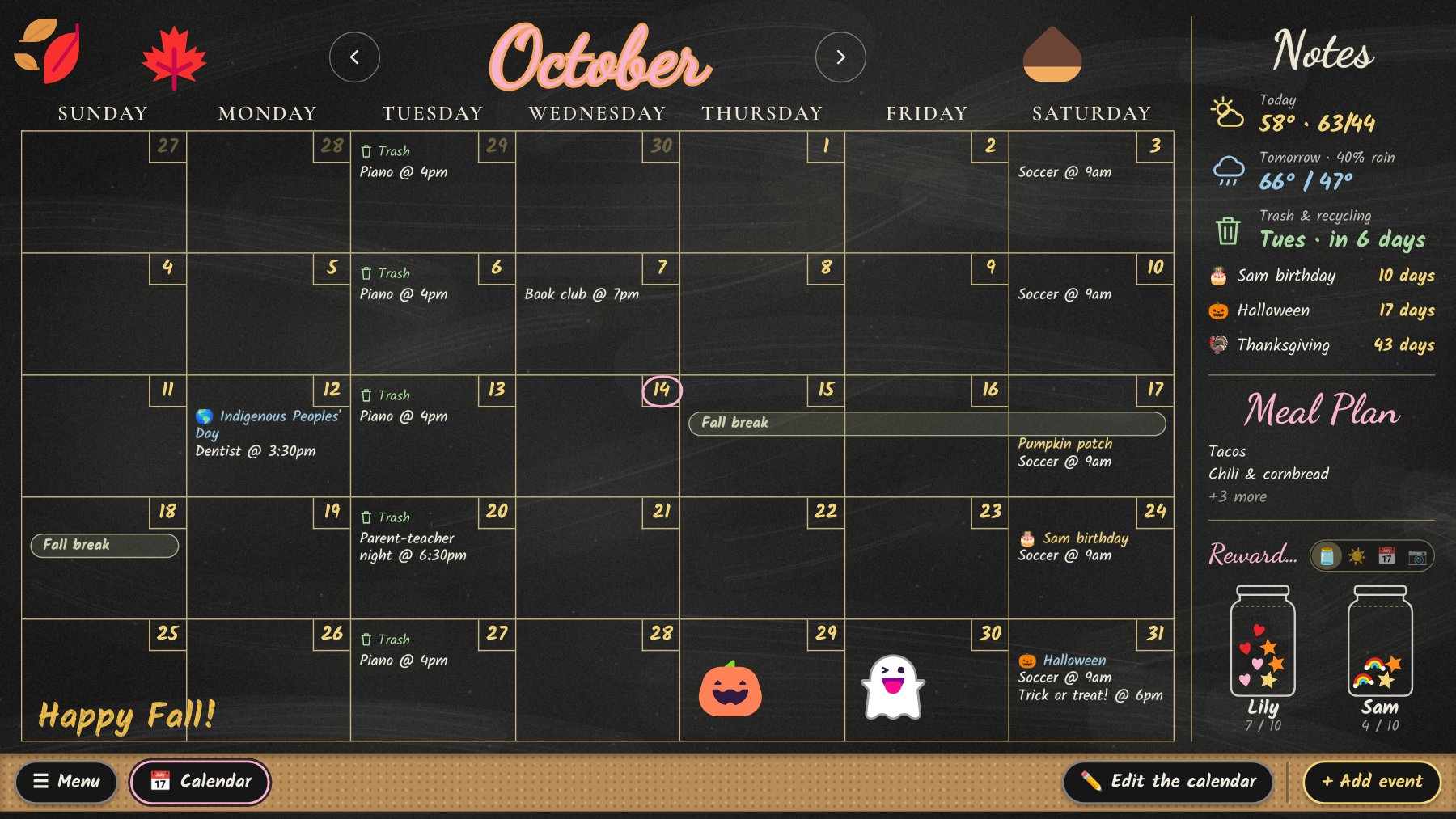
- Your real calendar. Events come from Google Calendar, any CalDAV calendar (iCloud, Nextcloud, Fastmail, Radicale) or the calendars already in Home Assistant, with Outlook and school calendars added by link. Add, change and delete them from the tablet, including repeating events, and make birthdays and big days stand out in large writing.
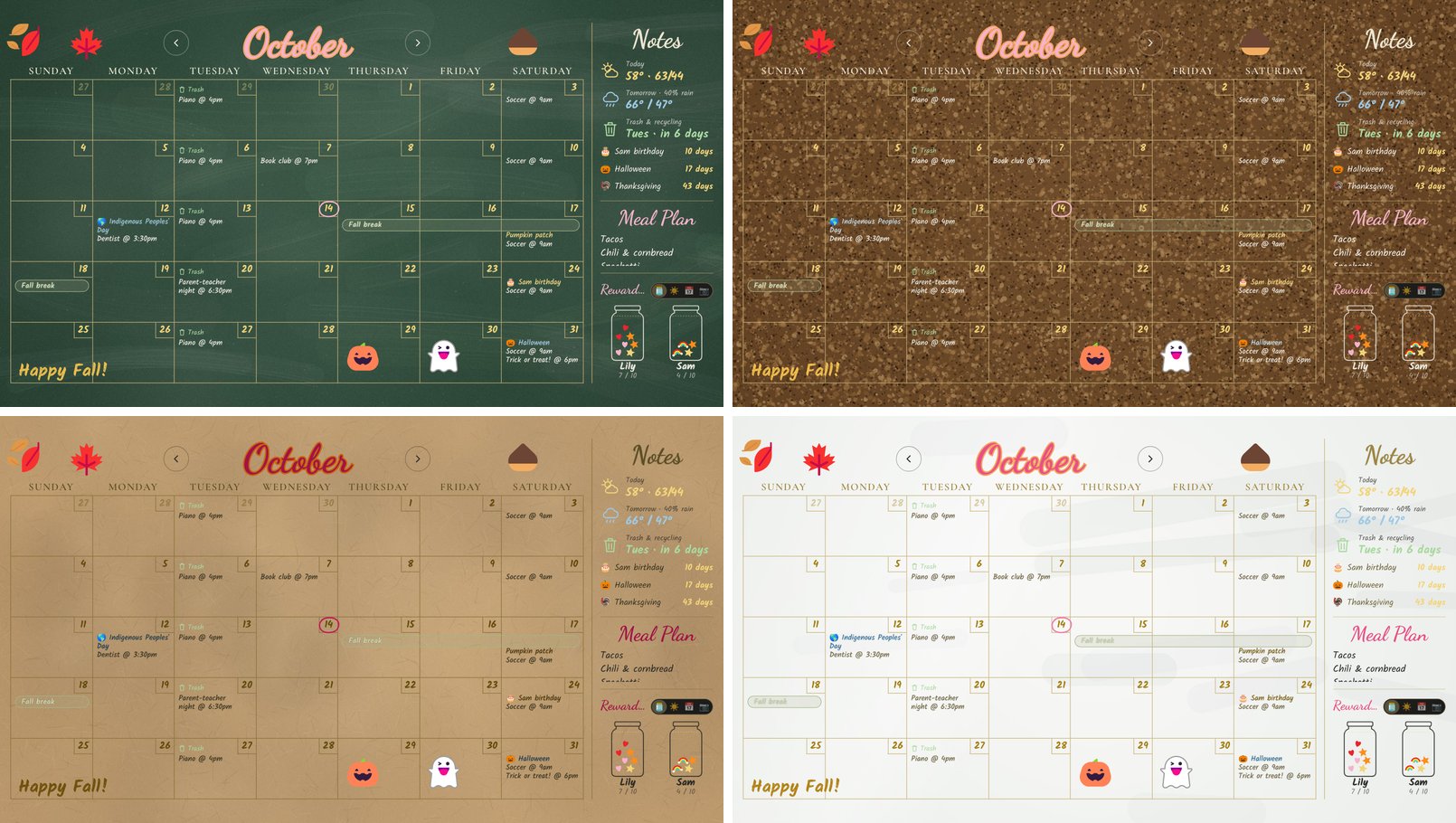
- Draw on it. Chalk and paint-marker drawing, hand-lettered month titles in dozens of fonts, stamps, thousands of clipart pictures, chalk drawings, emoji and GIFs. The art is saved with each month.
- Holiday borders that come back every year: jack-o’-lanterns in October, turkeys in November, garland in December, or pictures you pick.
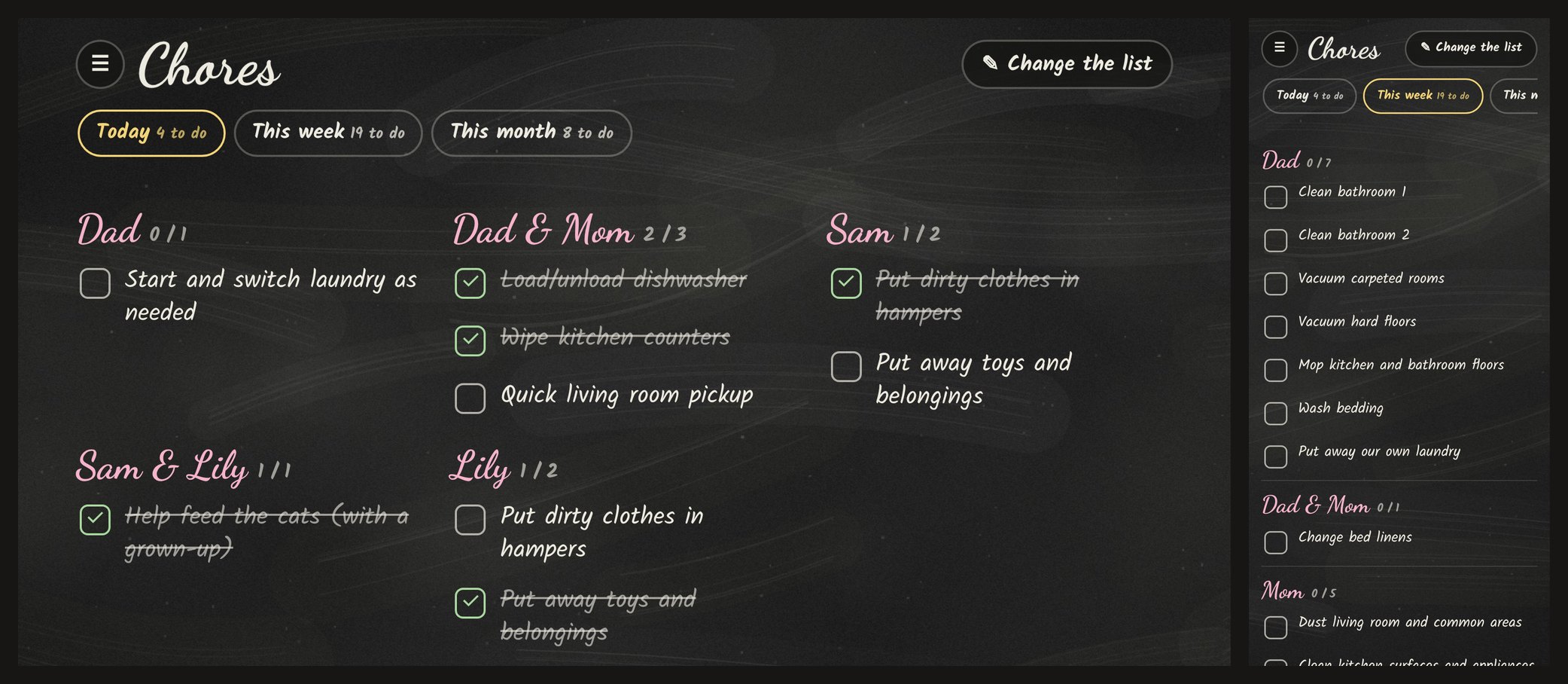
- Chores for every day, week and month that reset by themselves. Tick them off on the board or a phone, and give each kid a tablet that shows only theirs.
- A Notes column with weather, trash and recycling days, countdowns, a meal plan, reward jars, today’s events or a photo.
- Photos pinned beside the month name, and an overnight slideshow, from an iCloud or Google Photos shared album.
- More than one calendar, each in its own color, plus read-only links for school or sports. A Week page, Monday starts, 24-hour times, and US, Canadian or UK holidays.
- Make it yours with backgrounds from green chalkboard to cork, kraft paper and whiteboard, board styles, per-event colors and a choice of today markers.
- Live. Changes on the tablet show up on the wall within a second, and the wall updates itself when you install a new version.
- Part of Home Assistant. Install it as a Home Assistant app and it lives in the sidebar: your Home Assistant login is your board login, its calendars and to-do lists show up on the board, and Home Assistant updates and backs it up.
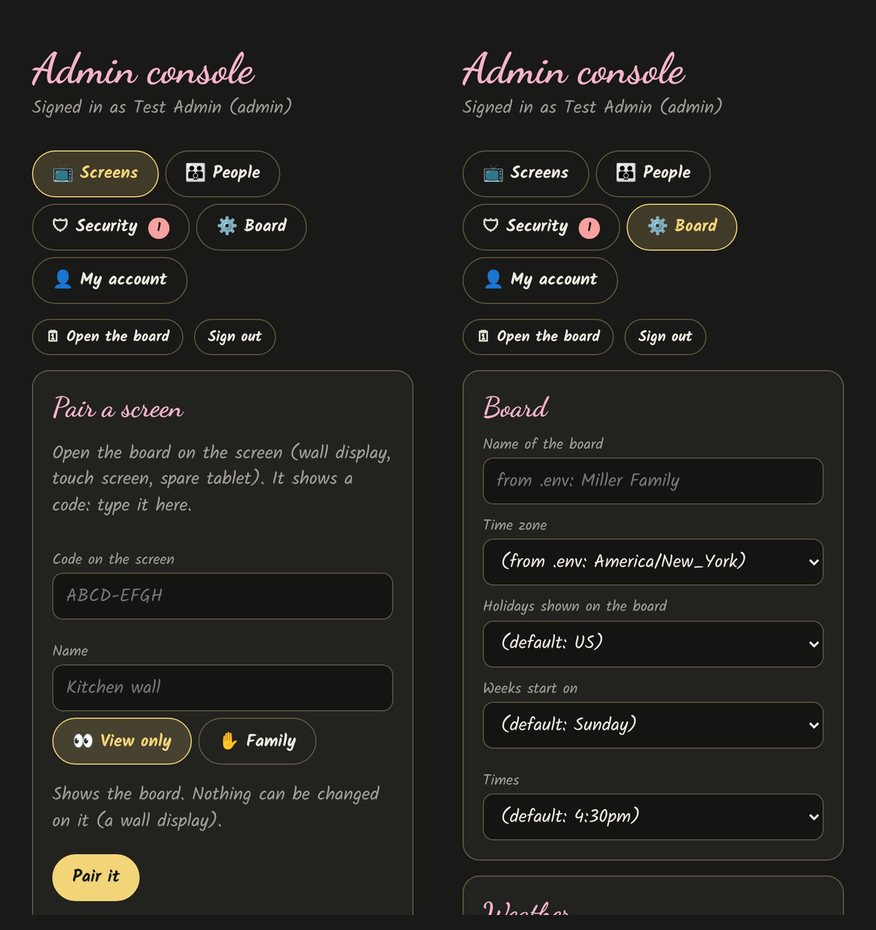
- Safe for a family. Screens pair with a code, people sign in with a passkey or a password and authenticator app, and an admin console shows every sign-in, screen and change.
What you need
- Something always on at home: Home Assistant (OS or Supervised), anything that runs Docker (a NAS, a Raspberry Pi, a server), or Debian 12/13 or Ubuntu 22.04/24.04 on amd64 or arm64. A Proxmox container with 1 CPU, 512 MB of RAM and 4 GB of disk is plenty. A rented cloud server works too, kept behind Cloudflare Access or Tailscale.
- A calendar: Google, iCloud or another CalDAV calendar, or the ones in Home Assistant.
- A screen for the wall (any browser in kiosk mode; Fully Kiosk Browser on Android works well) and a tablet or phone for editing.
Install
The Getting started guide goes from nothing to the calendar on the wall, step by step.
In Home Assistant: add the app repository, then install Family Chalk Planner from the app store.

Turn on Show in sidebar, start it, and open Family Board. There’s no setup code: Home Assistant’s admins are the board’s admins.
With Docker:
mkdir family-chalk-planner && cd family-chalk-planner
curl -fsSLO https://raw.githubusercontent.com/joshua-d-miller/family-chalk-planner/main/compose.yaml
docker compose up -d
docker compose logs board      # shows the one-time setup code
Or directly on Debian or Ubuntu, where the git checkout is the install:
git clone https://github.com/joshua-d-miller/family-chalk-planner.git /opt/family-chalk-planner
sudo bash /opt/family-chalk-planner/deploy/install.sh
The installer adds Node.js 22 if it’s missing, a locked-down service user, a systemd service, and the optional face finder used to frame photos.
With Docker or Linux, open http://<server>:3002/admin, enter the setup code to create the
admin account, and use ⚙️ Board to connect your calendar, weather town and
photo album. There are no files to edit.
Updating: Home Assistant shows Update on the app. With Docker,
docker compose pull && docker compose up -d. On Linux, the board installs new
releases overnight by itself (a new major version waits for Update now in the
admin console) and rolls back if one doesn’t start.
Using it
| Where | Address |
|---|---|
| In Home Assistant | Family Board in the sidebar |
| Wall display | http://<server>:3002/ |
| Admin console (pair screens, invite people) | http://<server>:3002/admin |
| Tablet editor | http://<server>:3002/edit |
| Chores on a phone | http://<server>:3002/chores |
Add the tablet and phone pages to the home screen so they open like apps.
Documentation
| Guide | What’s in it |
|---|---|
| Getting started | From nothing to the calendar on the wall: Home Assistant, Docker or Linux |
| Calendars | Home Assistant, iCloud, Google, other CalDAV, Outlook and calendar links |
| User guide | The tablet, family screens, kids’ tablets, chores and the wall display |
| Install | Debian, Ubuntu and Proxmox, HTTPS, screens and people, backups, troubleshooting |
| Docker | Running it with Docker Compose |
| Google Calendar | Connecting a Google calendar |
| Photos | iCloud and Google Photos shared albums, face framing |
| Cloud | A rented server: what’s on it, how to limit it, Cloudflare Access or Tailscale |
| Changelog | What changed in each release |
License
Family Chalk Planner is free software under the GNU Affero General Public License v3.0 or later. You can use, change and share it; if you run a modified version for other people, you have to offer them its source code. Third-party credits for fonts and clipart are in NOTICE.