macOSLAPS

macOSLAPS rotates the password of a local administrator account on your Macs to a random value, on a schedule, and keeps it where IT can get it. It works with any MDM (Jamf Pro, Intune, Workspace ONE, Iru, Mosyle and others) and with Active Directory.
4.0 is a prerelease
These pages describe macOSLAPS 4.0, which is in prerelease testing. Try it on non-production Macs first, and read Upgrading from 3.x before you install it over an earlier version. Feedback is welcome in #laps on MacAdmins Slack or as a GitHub issue. The testing guide lists what most needs testing.
Running macOSLAPS 3.x? Its documentation stays on the wiki.
What it does
- Rotates the password of one local admin account every
DaysTillExpirationdays (60 by default), and whenever you ask. It changes the password, checks that the new one works, then stores it. If anything fails, it puts the old one back. - Keeps the password where IT can get it, in one of four ways:
- your MDM's inventory, in plain text or encrypted to your admins' certificates;
- only on the Mac, revealed by a technician with a one-time code from your MDM (device mode);
- the computer object in Active Directory.
- Keeps the admin group clean. By default it removes admins you haven't approved, with safety rails so a Mac is never left without a working admin. See Admin group protection.
- Handles secureToken and FileVault accounts safely. See secureToken and FileVault.
Device mode at a glance
A technician at the Mac types the reveal code from your MDM. No admin rights are needed.
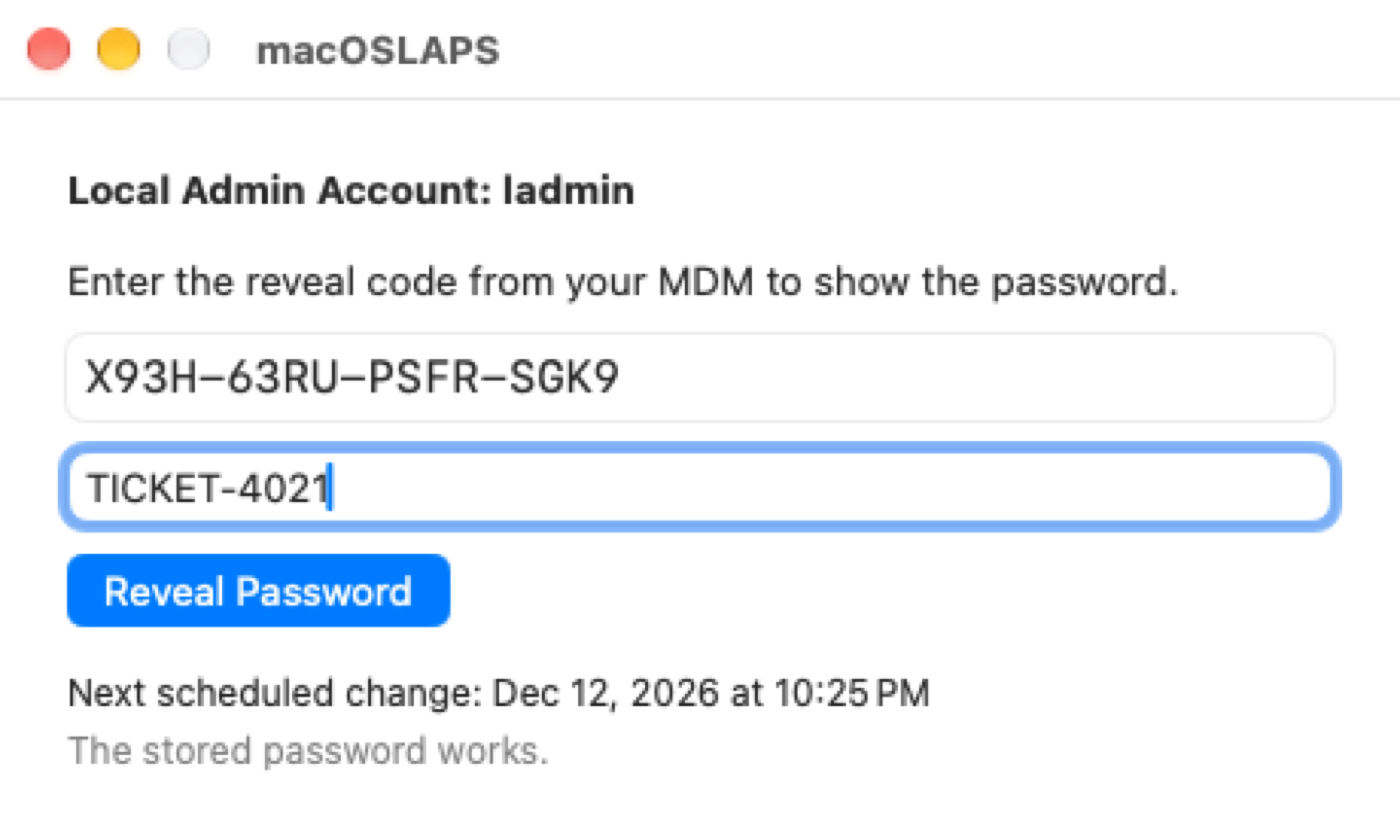
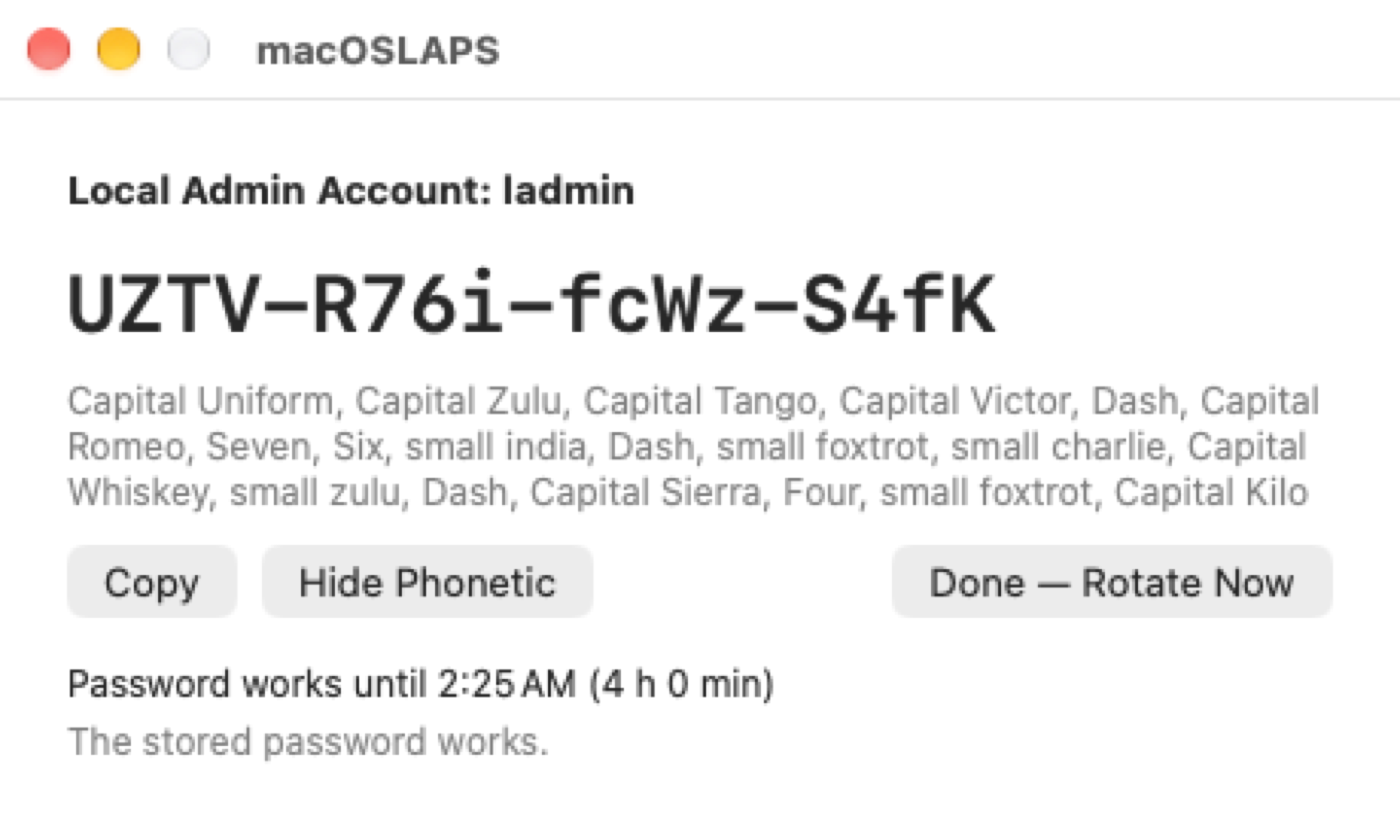
The password keeps working for a few hours, counted down in the menu bar, and then changes:

These screenshots are taken automatically by CI on GitHub's macOS 26 and 27 runners, each time macOSLAPS is built.
Where to start
| If you are… | Read |
|---|---|
| New to macOSLAPS | Get started |
| Upgrading from 3.x or 4.0.0 (845) | Upgrading from 3.x |
| Choosing how IT gets the password | Getting the password |
| Setting up your MDM | MDM setup and the settings reference |
| Testing the prerelease | Testing 4.0 |
| Fixing a Mac | Troubleshooting |
Requirements
- macOS 13 or later, Intel or Apple silicon. Macs on macOS 12 can stay on 3.0.4; see Legacy.
- One local admin account for macOSLAPS to manage. It can have a secureToken.
- An MDM to deliver the settings and collect the password or reveal code, or Active Directory with a writable domain controller.
Download
Packages are on the Releases page. Every package is signed and notarized with Joshua Miller's Developer ID (team 9UYK4F9BSM).