Device mode
In device mode the password never leaves the Mac. Your MDM collects a reveal code instead. A technician at the Mac enters the code to see the password, every reveal is recorded, and the password changes a few hours later.
Escrow the FileVault recovery key too
A reveal happens after someone has logged in. It can't help at the FileVault unlock screen or the login window. Device mode therefore requires a FileVault personal recovery key escrow profile; -status -v warns when it's missing. If a Mac is locked out, switch it to escrow mode with a profile.
How a reveal works
1. The MDM collects the code. Your inventory attribute runs macOSLAPS -escrow as usual. In device mode it reports the reveal code (16 characters, like ABCD-EFGH-JKMN-PQRS) rather than the password:
{"v":1,"mode":"device","account":"ladmin","revealCode":"ABCD-EFGH-JKMN-PQRS","codeSet":"…","expires":"…","verified":true,"host":"Mac-1234"}
With EscrowCertificates set, the code is encrypted like a password would be.
2. The technician looks the code up in the MDM.
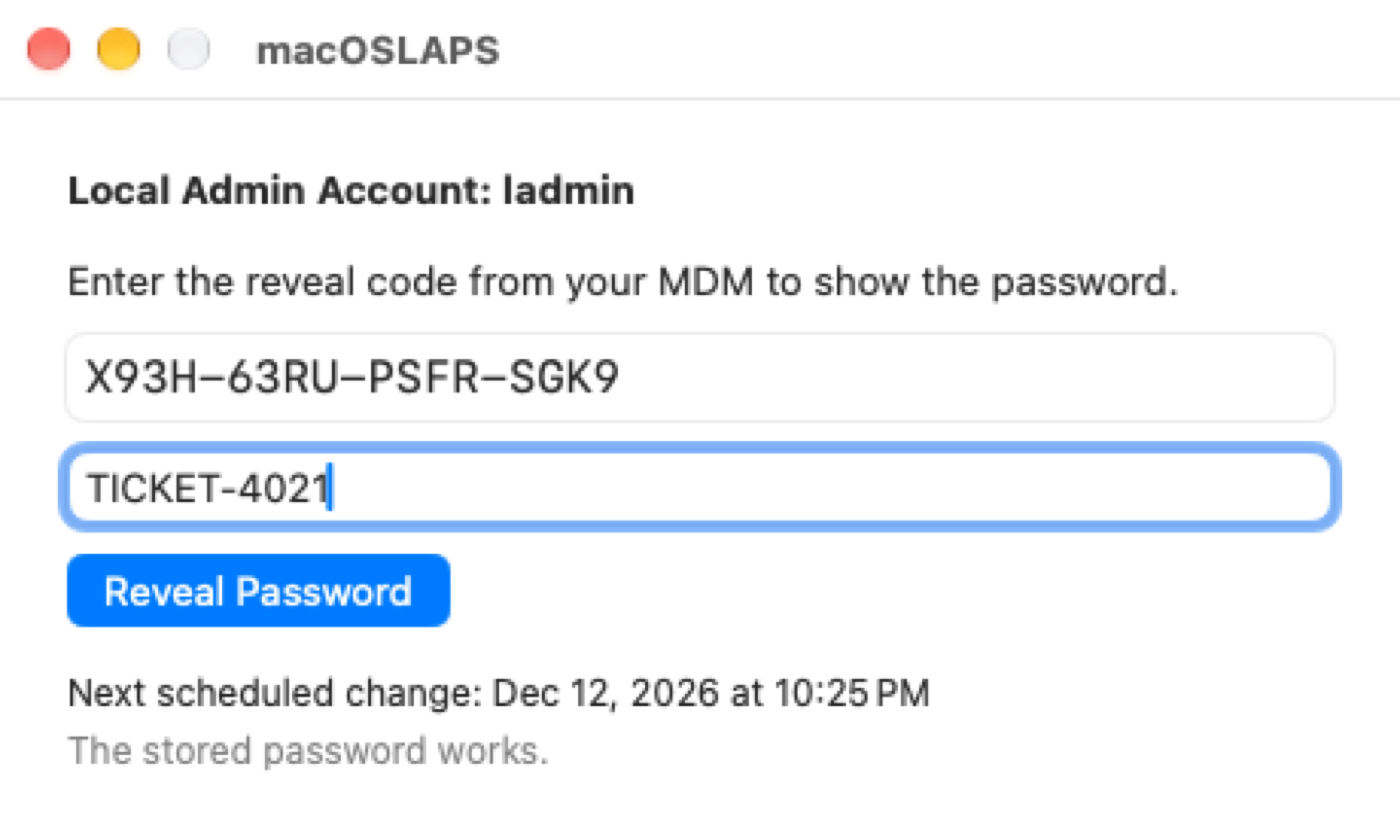
3. At the Mac, signed in as the user (no admin rights needed), they open macOSLAPS from Applications, type the code and an optional reason or ticket number, and choose Reveal Password.
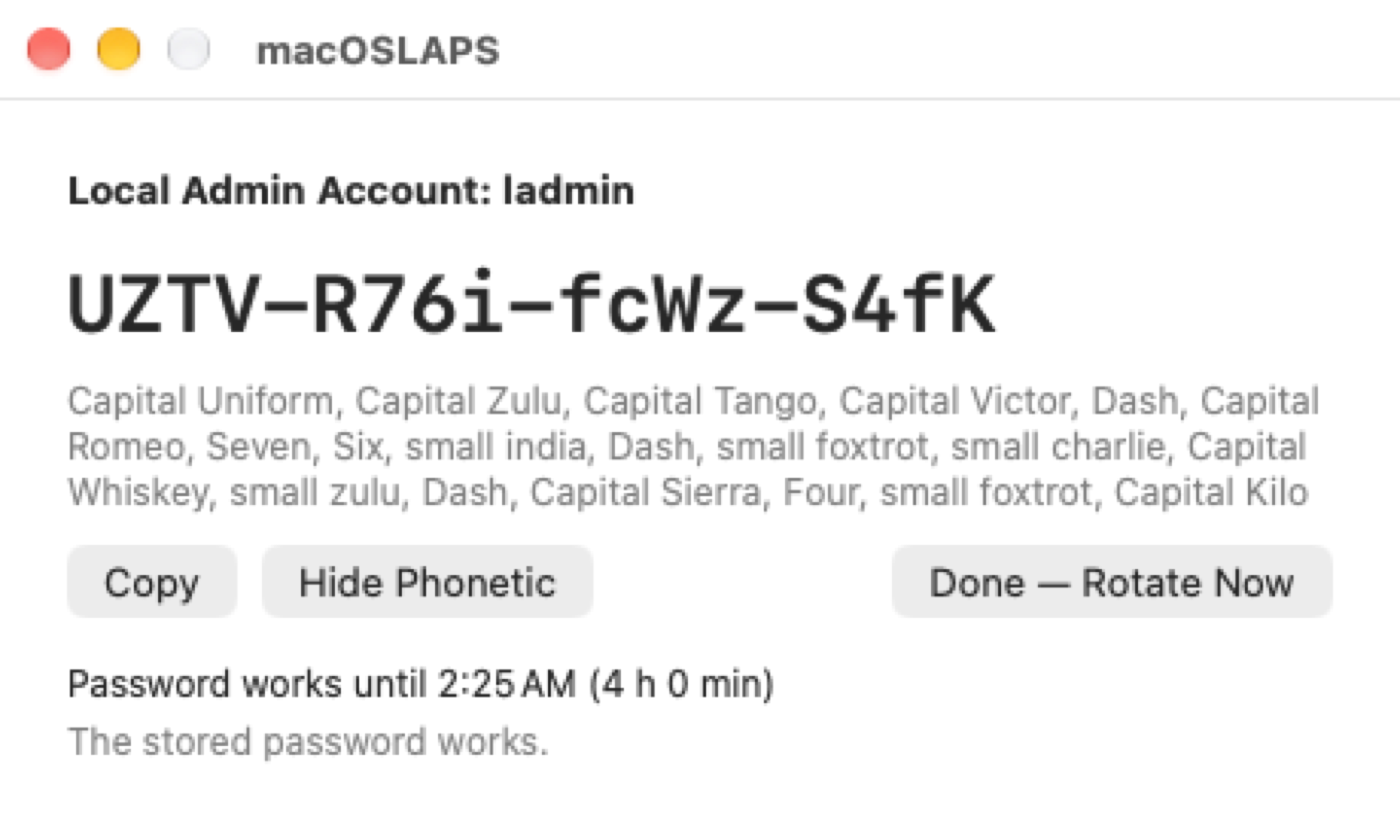
4. The password appears in large type. Show Phonetic spells it out for reading over the phone ("Capital Uniform, small india, Seven…"). Copy puts it on the clipboard and clears the clipboard after 60 seconds. The window says how long the password keeps working.
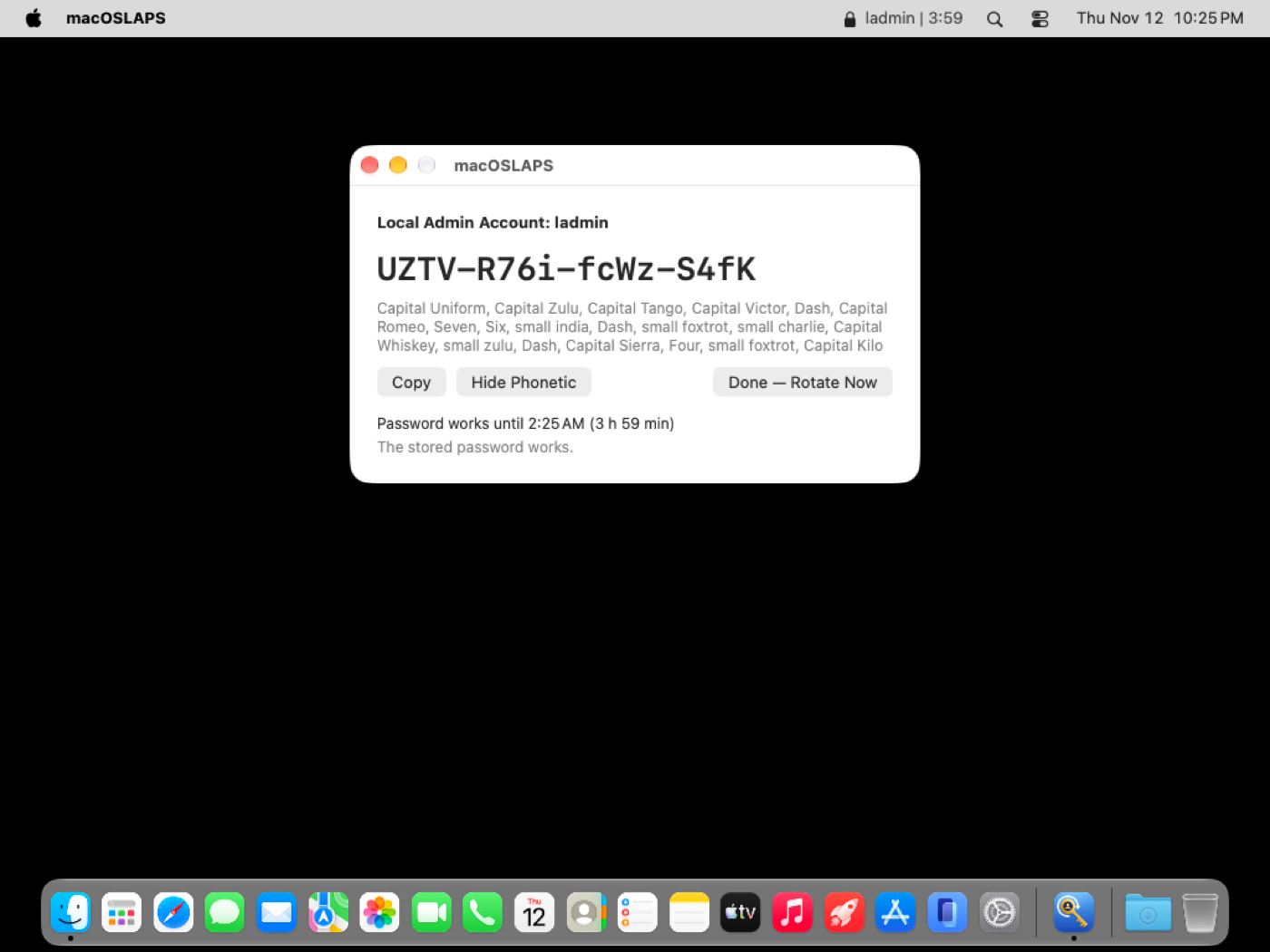
5. They use it to elevate: an authentication prompt, System Settings, an installer. The same code keeps working until the grace period ends, so re-elevating needs no new code.
6. The menu bar counts down the time left, in orange for the last 15 minutes. Notifications go out when the password is revealed, 15 minutes before it changes, and when it has changed. Done — Rotate Now, in the window or the menu, ends the grace period early.
7. When RevealGracePeriod ends (4 hours by default, 0 to 24), the password rotates and a new code goes to the MDM at its next inventory. With RevealAction rotateAndLogout (the default), the managed admin is logged out first if it's signed in. The window and menu bar mention this only while the admin is signed in. RevealAction rotate only rotates.
From Terminal or a script
The code is never accepted on the command line, where other processes could see it. -reveal works without root, through the same service as the window.
Safeguards
- Five wrong codes lock reveals until the next rotation (
sudo macOSLAPS -resetPasswordissues a new code). - Every reveal is recorded with the signed-in user and the reason, in the log and in
-status(revealedAt,rotatesAt,rotateReason). -getPasswordis refused, and staged rotation doesn't apply: the MDM never has the password to confirm.- The window and menu bar talk to a root service (
com.joshua-d-miller.macoslaps-service) over XPC, and both sides check the other's code signature (team9UYK4F9BSM). The password is never written to a file or passed on a command line. - If no MDM has collected the code with
-escrowin the last 14 days, macOSLAPS warns that nobody could reveal the password.
Notifications
An MDM Notifications payload for the bundle identifier com.joshua-d-miller.macoslaps can pre-approve the notifications, so users aren't asked.
With Active Directory
With Method AD, device mode never writes the password to AD. ADRevealCode true writes the reveal code there instead, under the password attribute, so it shows in ADUC or Get-LapsADPassword. See Active Directory.